Designed for reminders that matter
Schedule your SMS, get reminded on time, and stay in control.
SMS Scheduler helps you prepare messages ahead of time, receive smart reminders, and open the native Messages app with your text ready to send when the moment arrives.
Schedule SMS to one or multiple recipients
Notification reminders with quick actions
Optional Calendar and Reminders integration
Features
Built around the actual workflow of sending a message later.
Schedule messages ahead
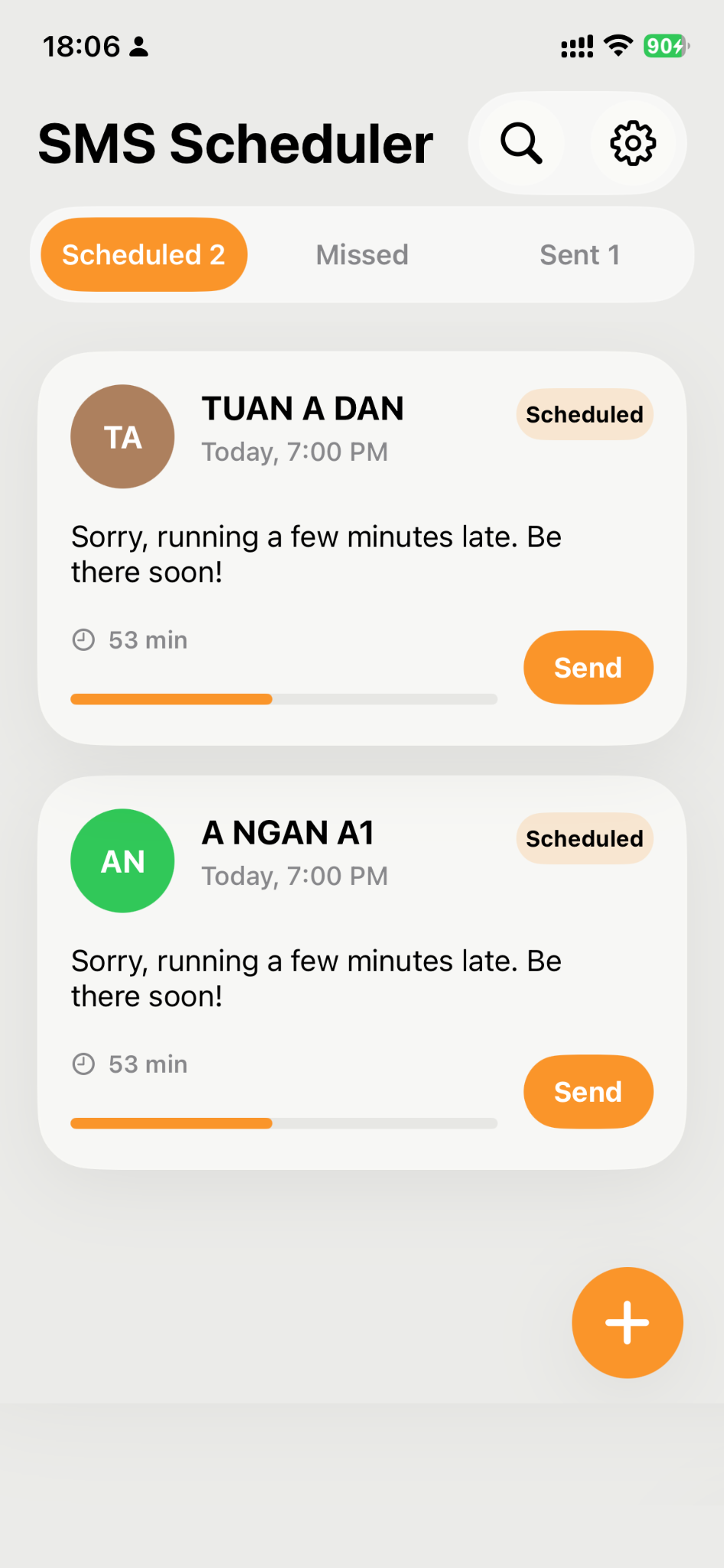
Plan messages for later, edit existing schedules, and manage upcoming, missed, and sent items in one place.
Quick send from reminder
When it is time, the app can open the native Messages app with the recipient and message body pre-filled.
Pre-reminders and overdue reminders
Receive a heads-up before a scheduled send time and get nudged again if the message was not sent.
Optional repeat scheduling
Set recurring schedules for repeated reminders and regular messaging routines.
Contacts, Calendar, and Reminders
Pick recipients from Contacts and optionally add scheduled items to Calendar or Reminders.
Clean, modern interface
Large cards, fast actions, searchable message lists, and settings designed for quick daily use.
How it works
Clear, Apple-compliant sending flow.
Create your schedule
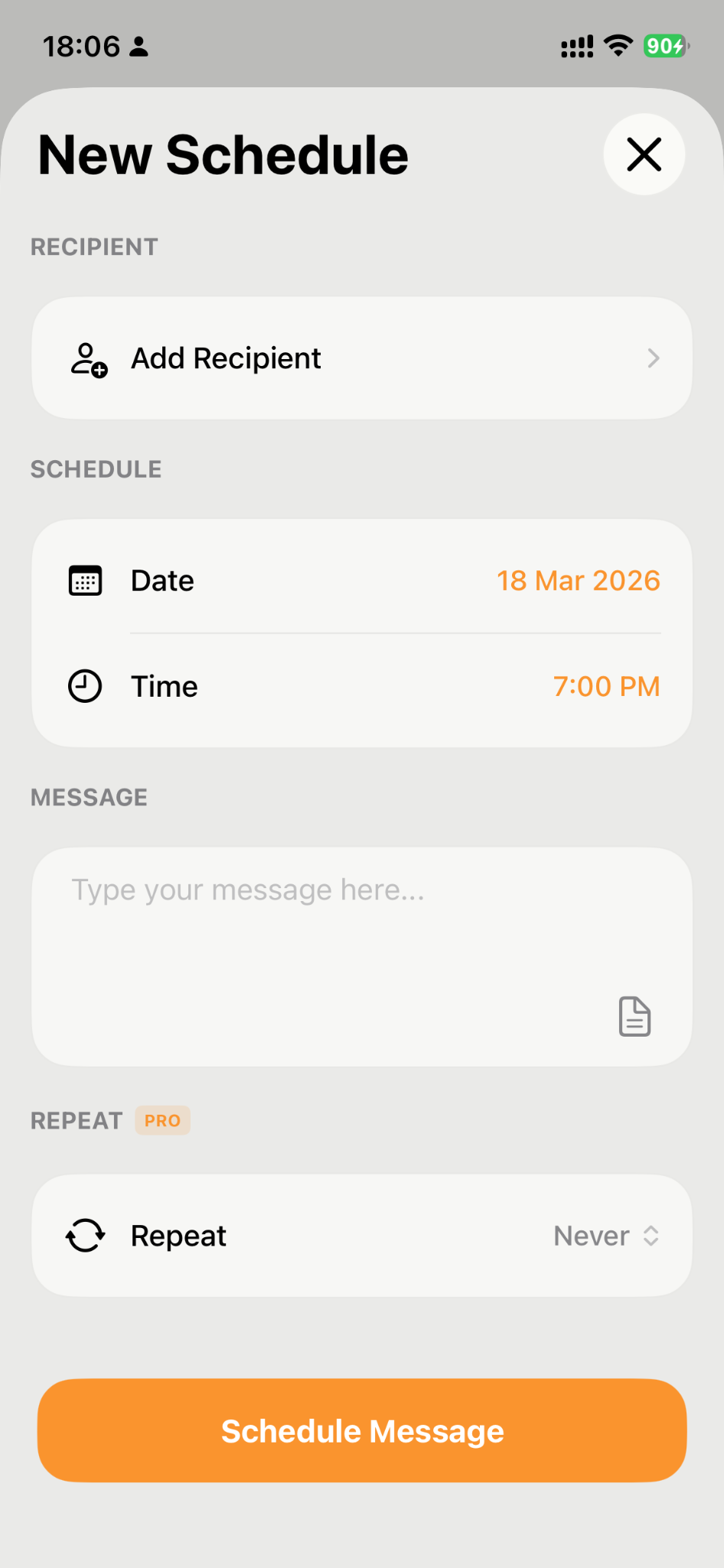
Choose recipient, date, time, and message content.
Get a notification
The app reminds you at the scheduled time, with optional pre-reminders and overdue reminders.
Open Messages and send
The app opens Apple Messages with the SMS content prepared, so you stay in control before the final send.
Important: iOS does not allow third-party apps to silently send SMS in the background. SMS Scheduler does not bypass this. It helps you prepare and launch the native Messages flow at the right time.
App screens
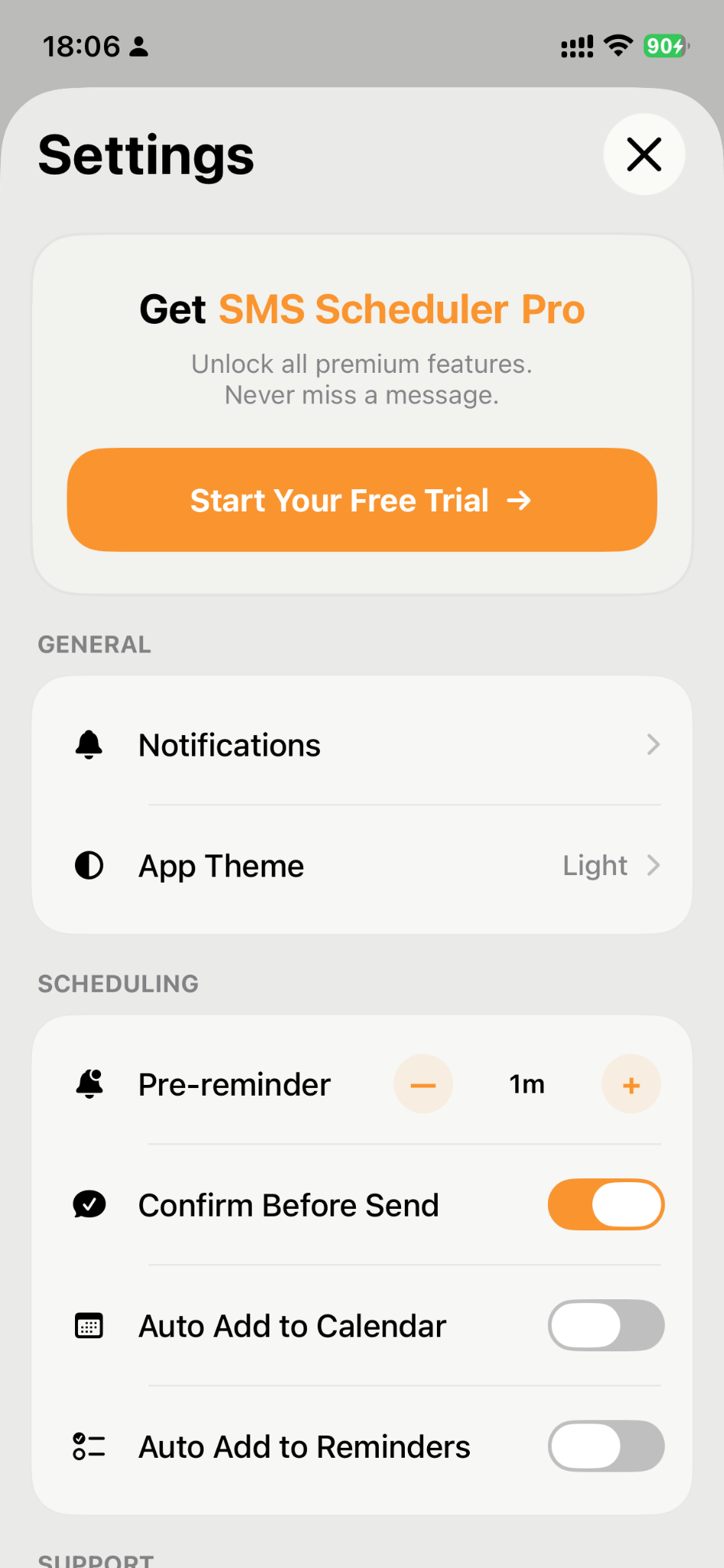
Home, scheduling, and settings designed for fast access.
Privacy
Privacy, clearly explained.
Scheduled message information is stored locally on your device. The app requests Contacts, Notifications, Calendar, or Reminders access only when needed for features you choose to use. The free version may display Google AdMob advertisements, while eligible Premium and Lifetime purchases remove advertising.
Read the complete policy for details about permissions, advertising, tracking choices, data retention, deletion requests, security, and third-party services.
Read the full Privacy Policy
Security
Security and platform behavior
- SMS Scheduler uses Apple system frameworks and opens the native Messages app for final sending.
- The app does not silently send SMS in the background.
- Permissions are requested for specific features such as contacts, notifications, calendar access, or reminders access.
- Reminder actions and app behavior depend on Apple platform rules, device settings, and notification permissions.
- Users remain responsible for reviewing message content and recipients before final send in Messages.
For security questions or privacy requests, contact thebestgameios@gmail.com.
Contact
Need support or have a privacy question?
Email us and include your device model, iOS version, and a short description of the issue for faster support.